

- All Collections
- Account Support
- How do I delete or cancel my HoLink account? The 7-day cooling-off period and recovery process.
How do I delete or cancel my HoLink account? The 7-day cooling-off period and recovery process.
How do I delete or close my HoLink account?
You can submit a request to delete your account via theSettingssection in HoLink. After verifying your registered email address, the account will enter a 7-day “cooling-off” period before deletion. You can cancel the deletion and restore your account at any time before the countdown ends; once the countdown expires, the account and all associated data will be permanently deleted.
Tip:If you simply wish to stop using a paid plan, please check the subscription options underBillinginstead of deleting your entire account.
Important notes before deleting your account:
- You will need access to your registered email address to receive the verification code required for both deleting and restoring your account.
- Please save any page content, links, QR codes, or data you wish to keep before proceeding.
- Once the 7-day cooling-off period ends, the account cannot be restored through standard procedures.
How do I delete my HoLink account?
Step 1: Go to Account Settings
- Log in to HoLink and click [Settings] in the left-hand menu.
- Under [Account Information], locate [Account Deactivate & Delete], then click the red [Delete Account] button.
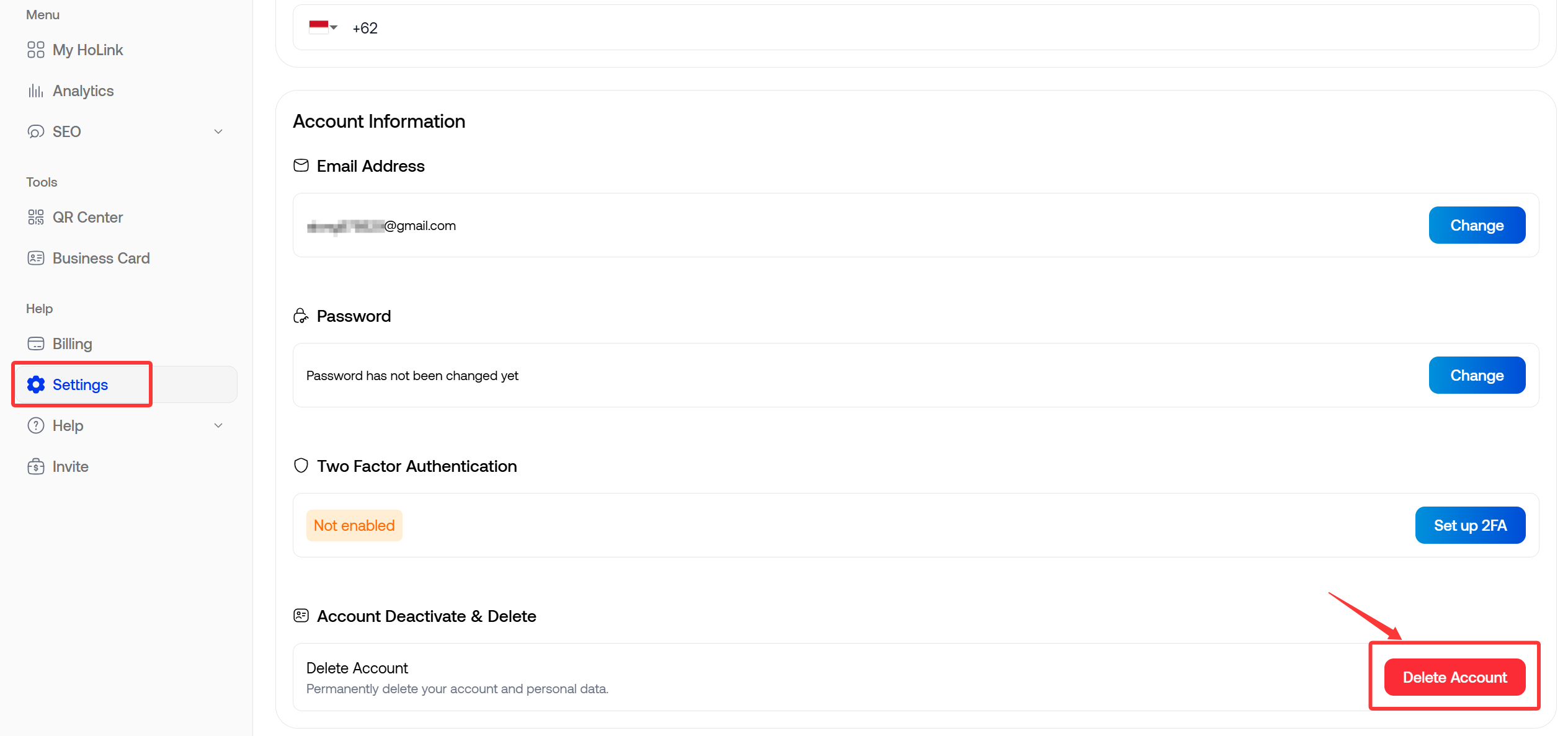
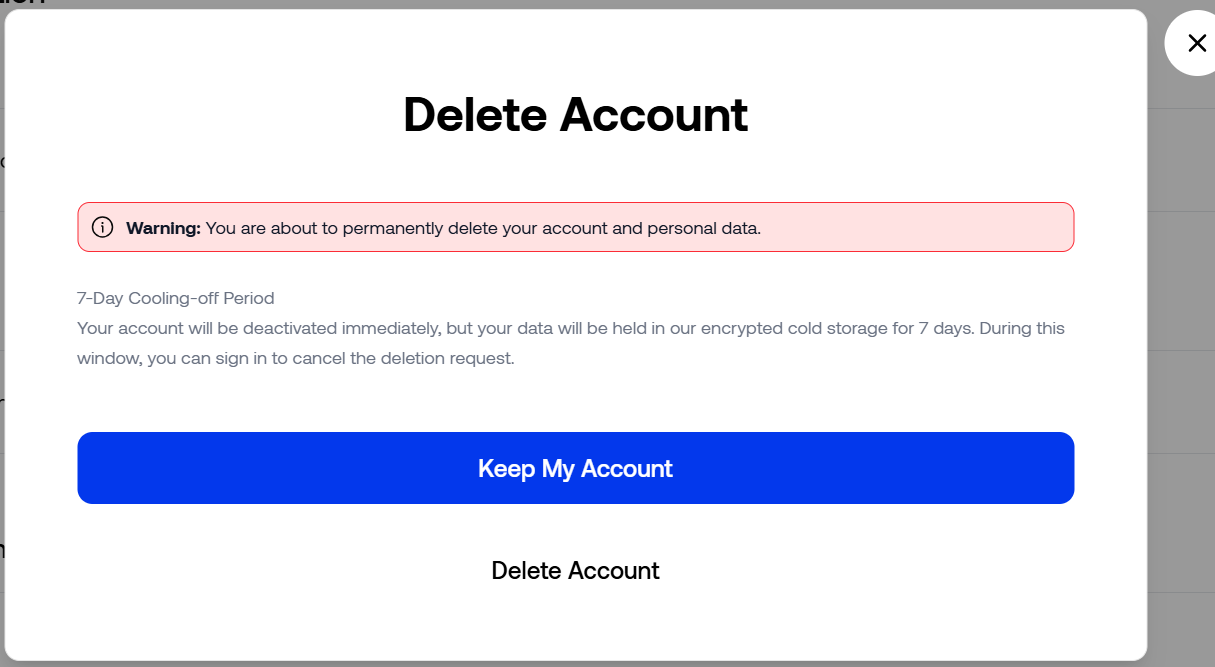
Step 2: Confirm Account Deletion
- Read the account deletion notice.
- If you wish to proceed, click [Delete Account] at the bottom of the pop-up window; if you do not wish to delete it, click [Keep My Account].
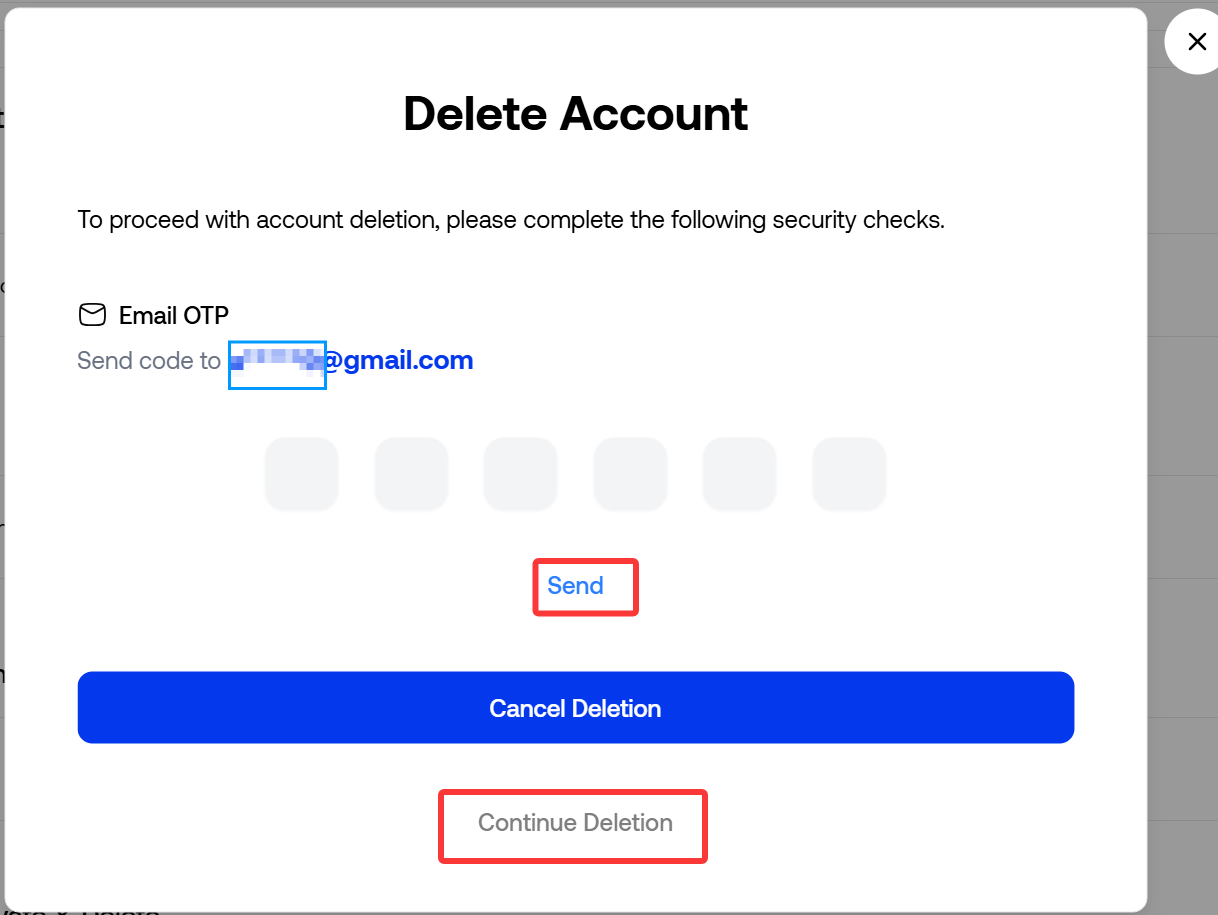
Step 3: Obtain the email verification code
- Click [Send], and the system will send a six-digit verification code to your registered email address.
- The verification code is valid for 5 minutes. If you request the code multiple times, please use the code from the most recent email.
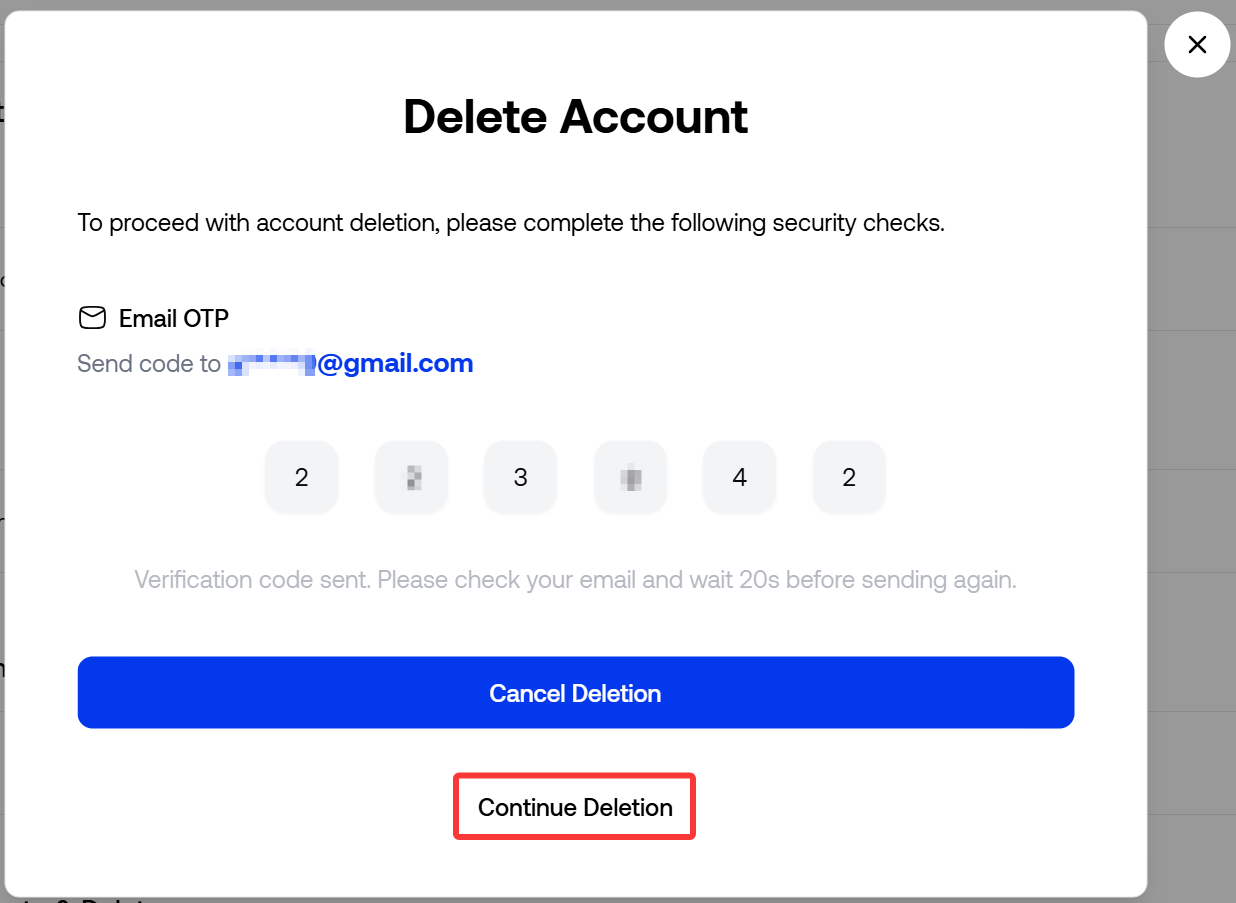
Step 4: Enter the verification code and submit the deletion request
- Return to HoLink, enter the six-digit verification code received via email into the verification code field, and then click [Continue Deletion].
If the verification code has expired, please resend the code and try again.
Step 5: Deletion Request Successfully Submitted
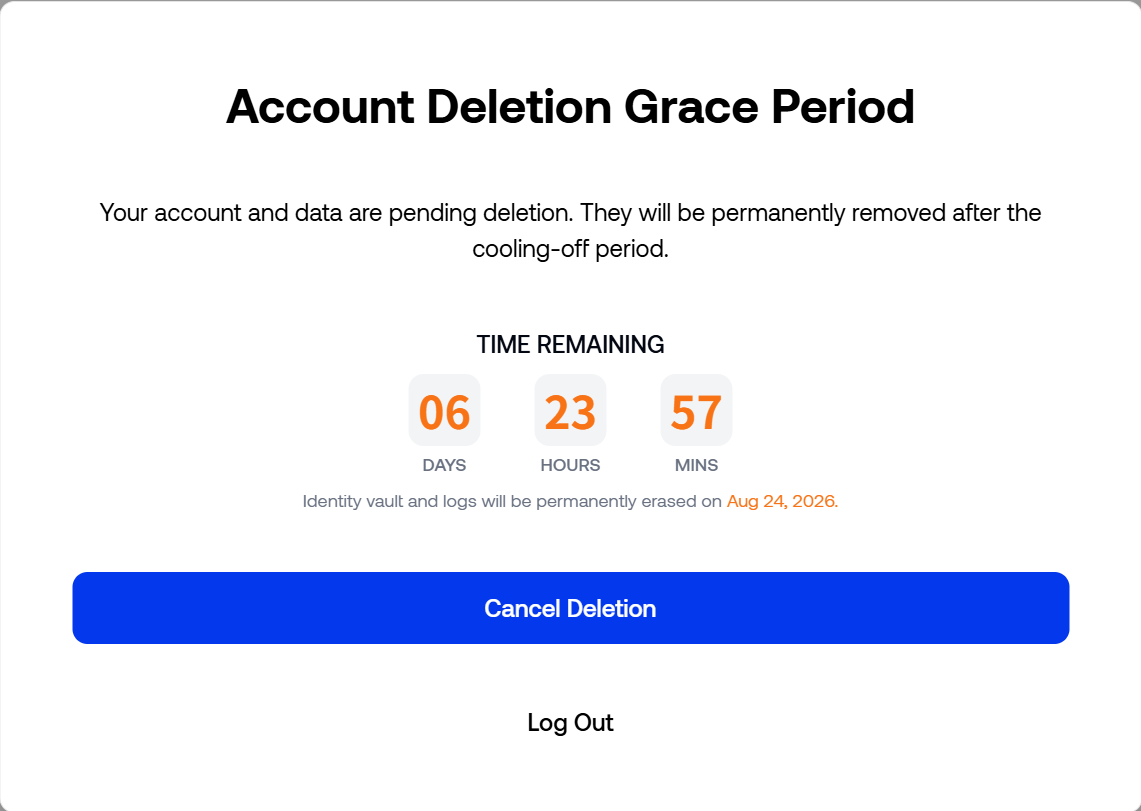
Once verified, the page will display a countdown to account deletion and the estimated date of permanent deletion.
At this stage, the account has entered a 7-day “cooling-off” period prior to deletion but has not yet been permanently deleted. Before the countdown ends, you can still click [Cancel Deletion] and complete email verification to revoke the deletion request.
Clicking [Log Out] will only log you out of the current account; it will not revoke the deletion request. Once the countdown expires, the account and its associated data will be permanently deleted.
During the cooling-off period:
- The account remains in a pending-deletion state;
- You can click [Cancel Deletion] to restore the account;
- Clicking [Log Out] will only log you out of the current account and will not revoke the deletion request;
- Upon completion of the 7-day countdown, the account and its associated data will be permanently deleted.
How do I cancel the deletion and restore my account?
Before the 7-day countdown ends:
- Log back into HoLink using the original account.
- Click [Cancel Deletion] on the account deletion cooling-off period page.
- Send a verification code to your registered email address and complete the verification.
- Click [Restore Account].
- Once the page displays “Account restored successfully,” the deletion request is revoked.
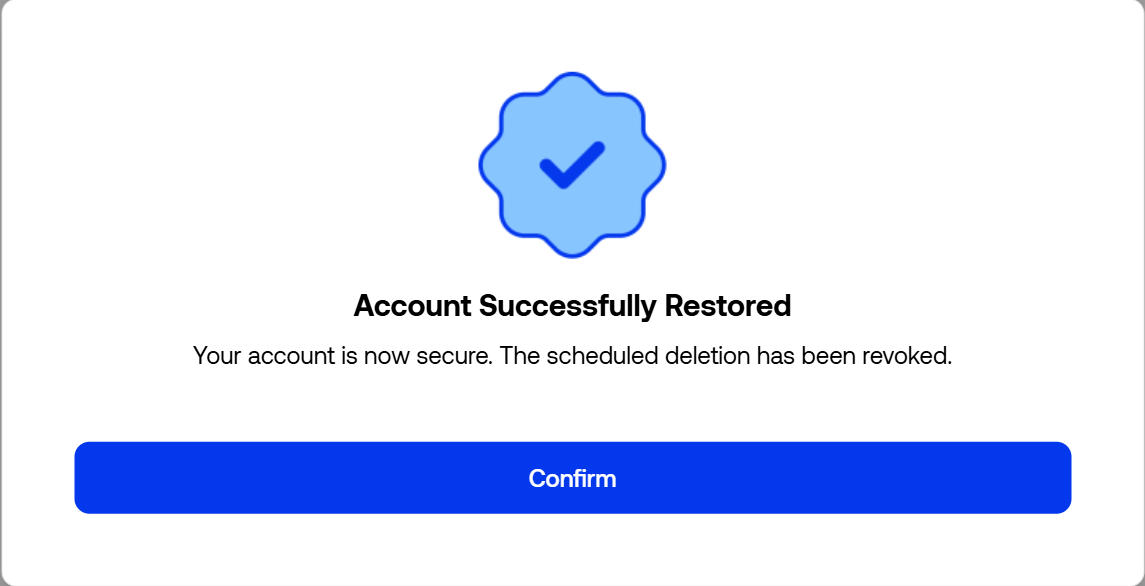
Simply logging back in or clicking [Log Out] will not cancel the deletion. You must complete email verification and click [Restore Account].
What should I do if I haven’t received the verification code?
Please check your spam or other email folders, and wait for the on-screen countdown to finish before requesting a new code.
If you have requested the code multiple times, please use the code from the most recent email. If you are still unable to complete the verification, please click [Customer Service] in the top-right corner of the page to contact theHoLink customer supportteam.